

Add and verify a domain
- Open Domains and select Add domain.
- Enter the email domain. Choose Verify it as a company domain for SSO and automatic joining, or Allow invitations only for an invitation allowlist entry.
- For a company domain, select Continue to verification and add the DNS record shown in hosted setup. For an allowlist entry, select Add to allowlist; this does not verify ownership or open a verification portal.
- Return to Domains and check that the company domain is Verified. Use Check again if verification is pending, or Resume verification to return to hosted setup.
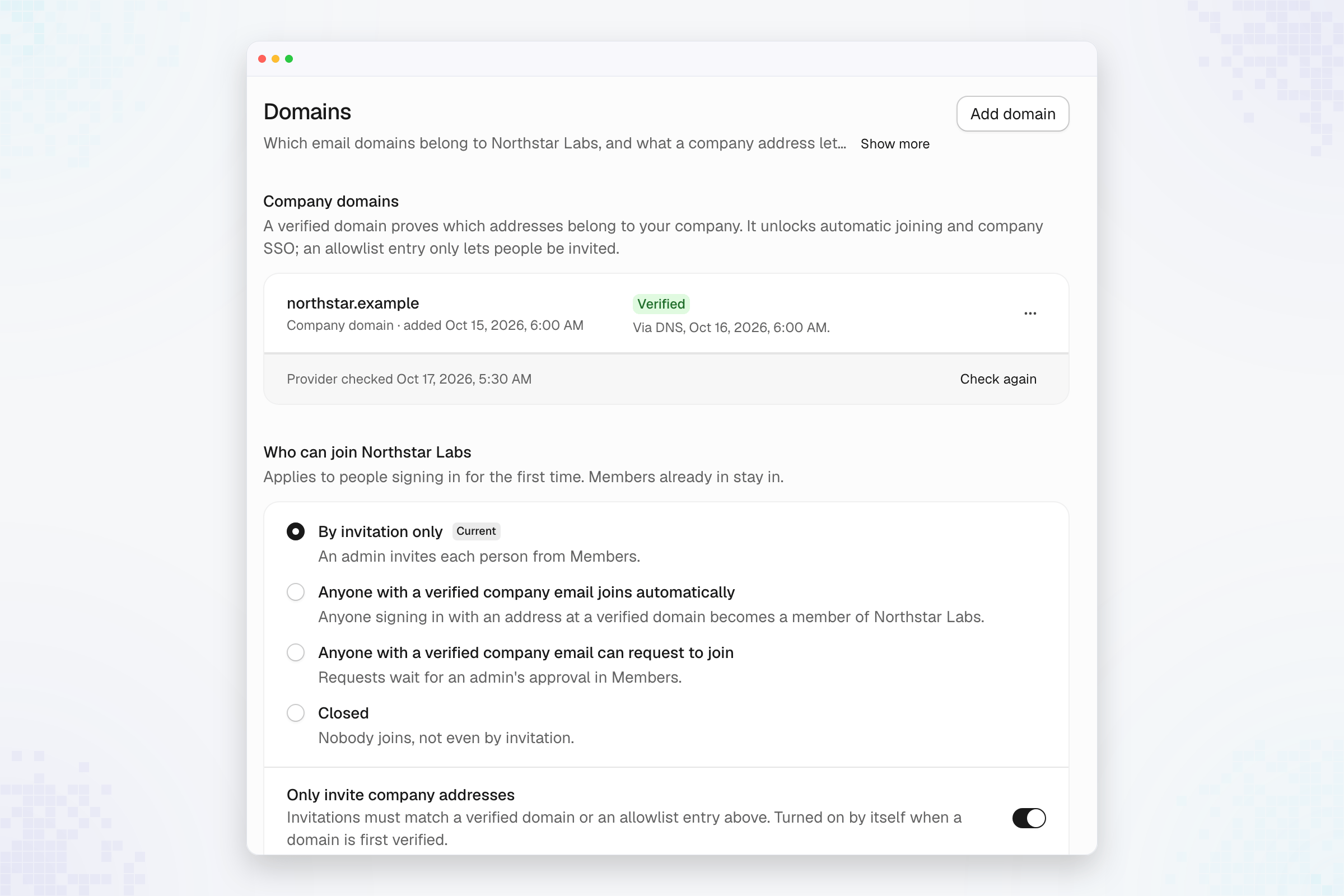
Choose who may join
The join-policy control offers:
Select Save after changing the policy, then confirm the saved selection.
Review pending invitations and requests in Members.
Changing a join policy does not remove existing members.
Only invite company addresses restricts invitations to verified company
domains and invitation allowlist entries. It turns on when a company domain is
first verified. Review this control separately from who can join.