

The product and this documentation are in private preview. Verify workflows
in your environment before relying on them in production.
Why teams use it
Once agents spread across coding clients, frameworks, and teams, simple questions get hard to answer from local folders and per-tool logs:- Which skills exist, who owns them, and which version is current?
- Who can see or change a skill, and where did it come from?
- What did an agent do in a run, did it succeed, and what did it cost?
- Did the last change make the agent better or worse?
What it holds
How it works
Your agents keep running where they already run: Claude Code, Codex, Claude Desktop, an agent framework, or your own runtime. Agent Registry sits beside them. Records and evidence flow in, and governed context flows out.- Register. Skills reach the registry from several sources. The desktop app imports the skills installed for Claude Code and Codex on your computer into your personal workspace. SkillSync publishes skills from a GitHub repository, and the CLI and HTTP API publish them directly. Each publish adds a version, and the skill records where it came from.
- Use. People and agents find skills in the workspaces they can access and use them in a supported client. Agents can also call Agent Registry’s MCP tools, which are limited to what the caller’s identity is allowed to do.
-
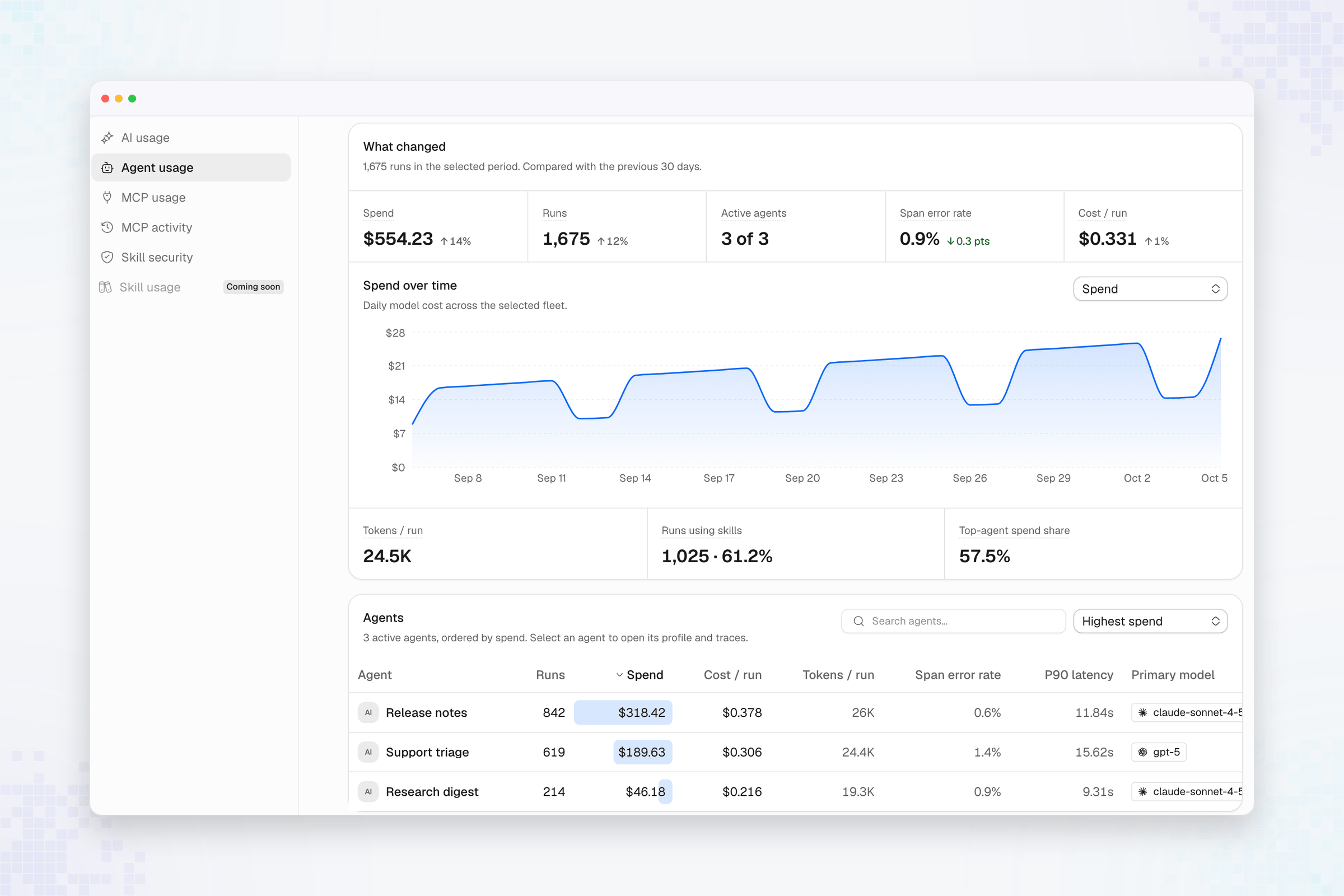
Observe. The trace plugin for Claude Code, the atlanai SDK, and any
OpenTelemetry (OTLP) exporter send execution evidence. Agent Registry links
it to agents, sessions, and skills, then reports usage, cost, and errors for
each agent. Skill usage needs no separate event: the registry matches the skills
recorded in each trace to the skill version with the same content.
- Improve. An eval runs your agent against fixed cases in your own process or CI job, scores each output, and stores an experiment you can compare with earlier ones. You can also score sessions from production.
incident-review skill in a GitHub
repository and connects it with SkillSync. When a pull request merges to the
protected branch, a new version appears in the team’s shared Platform
workspace. The skill’s Source view shows the repository and folder
for that version.
Engineers find the skill in the Platform workspace and use it in Claude Code.
The trace plugin sends each Claude Code session to Agent Registry. The skill’s
Usage tab then shows run volume, success and latency, the people who used
it, and which versions they ran, with links to the traces behind each run.
What it does not do
- It does not start your agents. Creating a session records an execution; it does not run one. Evals run in your process, and Agent Registry never calls your agent.
- An accepted upload is not proof. A successful trace or session upload does not prove the run completed, or that it appears in the workspace you intended. Confirm it in the product or with a read.
- A workspace identifier is not access. Visibility comes from the signed-in identity and its permissions, not from the identifier a caller sends.
- Usage is not a quality verdict. A high run count shows reuse, not that the results were correct. Use evals to measure quality.
- MCP sessions do not store tool data. For calls made in a verified session, Agent Registry records the tool name, outcome, and duration for audit, but not the call arguments or the tool output.
Start here
Follow these in order. Each one builds on what the one before it set up.Bring your skills into Agent Registry
Install the desktop app, sign in, and import the skills and sessions on your computer.
Discover and use skills
Find skills your team shares, check the current version, and open one in a supported client.
Send and verify traces
Send execution evidence and confirm it reached the intended agent and workspace.
Run your first eval
Score an agent against fixed cases and store the result as an experiment.