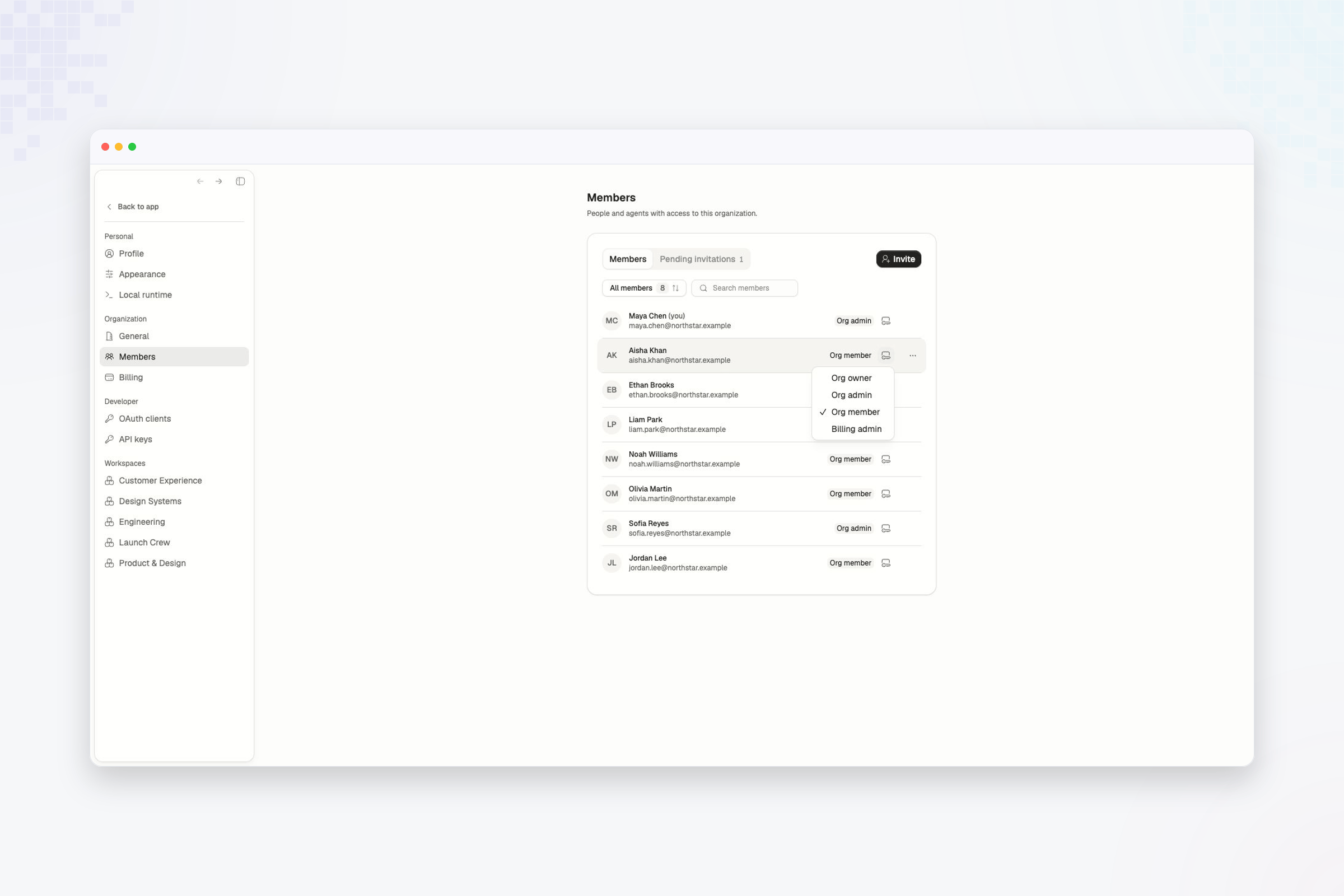
Organization roles govern access across the organization. They are separate from workspace roles. Use Org member as the default. It allows people to invite teammates and create workspaces without granting control over organization-wide access, billing, or security.

Change a member’s role

  1. Open Settings.
  2. Select Members under Organization.
  3. Find the person.
  4. Select the role control on their row.
  5. Choose the new role.
Role menu open for Aisha Khan in the Northstar Labs member directory Role changes apply at the organization level. Review the person’s workspace roles separately if their responsibilities are changing.
Keep at least one active organization admin. Promote another member before changing or removing the last admin.

Workspace roles

Compare Owner, Admin, Member, and Viewer access inside a workspace.