

https://api.atlan.com/mcp. Through it they reach Atlan’s platform tools and
every remote MCP server your team registers. Clients sign in once, see one
catalog, and every call is permission-checked and recorded in the account’s
audit trail.


Why teams use a gateway
Connecting each agent directly to each MCP server works for one developer. It breaks down when a team runs many agents against many servers.- Credentials spread out. Every client config holds its own tokens for every server. With the gateway, server credentials stay in Atlan and never appear in a client config file.
- Nobody can see what ran. Direct connections leave no shared record. The gateway records each call: the tool, the server, the stated reason, the outcome, and how long it took.
- Access is all or nothing. The gateway checks the caller’s workspace permission before it forwards a call, so being able to see a tool and being able to run it are separate decisions.
What you get
One endpoint
Connect any client that speaks Streamable HTTP to
https://api.atlan.com/mcp. Add servers behind it without touching client
configs.One catalog
Atlan platform tools and your servers’ tools appear in one
tools/list,
with namespaced names that never collide.Bring your own MCP servers
Register any remote MCP server. The gateway discovers its tools and keeps
the catalog current.
Credentials stay server-side
Use one shared credential for a server, or let each person connect their
own account through OAuth.
Permission on every call
Workspace roles decide who can discover a server’s tools and who can run
them.
Audit trail
Sessions group related calls. Each call records its tool, rationale,
outcome, and duration, but not its arguments or output.
See your servers in Atlan
The Marketplace shows every MCP server your workspaces use, whether each one is connected, and the vetted servers you can add in one step.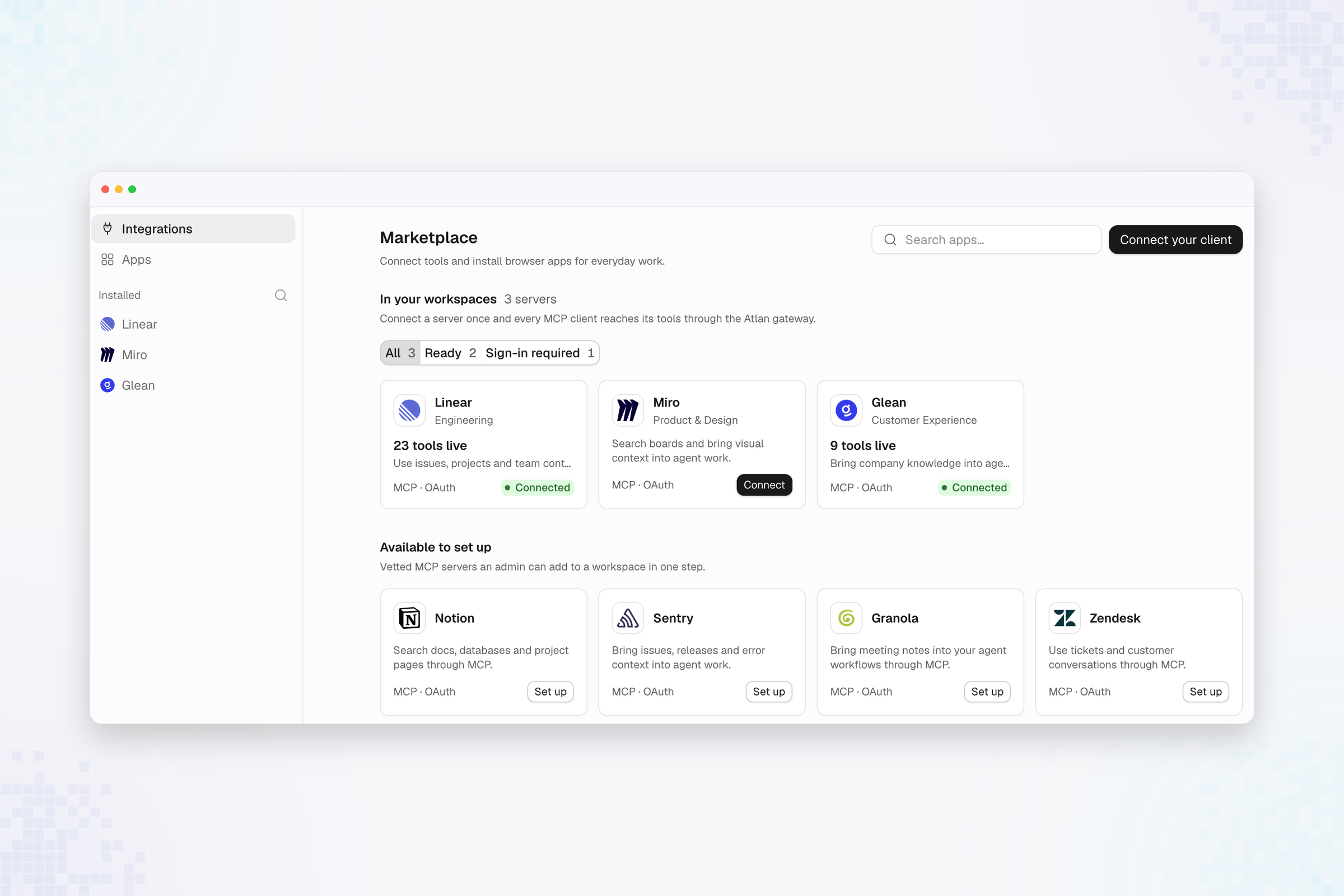
How it works
-
Your client connects. It points at
https://api.atlan.com/mcpand signs in with OAuth. The gateway accepts the current stateless MCP protocol and the earlierinitializehandshake on the same URL. -
The gateway builds one catalog. It combines Atlan’s platform tools with
the tools of every enabled server your identity can see. Each name tells
you where the tool comes from:
-
Your agent opens a session. It calls
registry__initialiseonce and passes the returnedsession_idon every later call, with a shortrationalethat says why it is making the call. - The gateway governs each call. It checks the caller’s access, attaches the server’s credential, forwards the call, and records the outcome.
Start here
Connect a client
Add the gateway to Claude Code, Cursor, VS Code, or any MCP client.
Integrations
Add built-in integrations or any MCP server, and connect data platforms.
Find and call tools
Semantic search returns only the tools relevant to a task.
Track usage and audit
See every call, across every server, with who made it and why.
Supported features and limits
See which MCP capabilities, transports, and credential types are supported.