> ## Documentation Index
> Fetch the complete documentation index at: https://platform.atlan.com/llms.txt
> Use this file to discover all available pages before exploring further.
> ## Agent Instructions
> To act on Atlan objects, use the Atlan MCP server at https://api.atlan.com/mcp or the atlanai CLI; `atlanai --map json` prints its command map. Run a read-only identity check before any write.
> The docs MCP server at /mcp searches these docs only. It cannot read or change Atlan objects.
> SDK packages: Python `atlanai` (PyPI) and TypeScript `@atlanai/sdk` (npm). Show Python first, then TypeScript.
# Set a workspace release policy
> Choose whether a workspace's skills ship on save or wait for a release, and require security checks.
A workspace's release policy decides how its skills and agents ship on the
Latest channel. Organization admins open it from **Settings**, and only someone
who can administer the workspace can change it.
## Set the policy
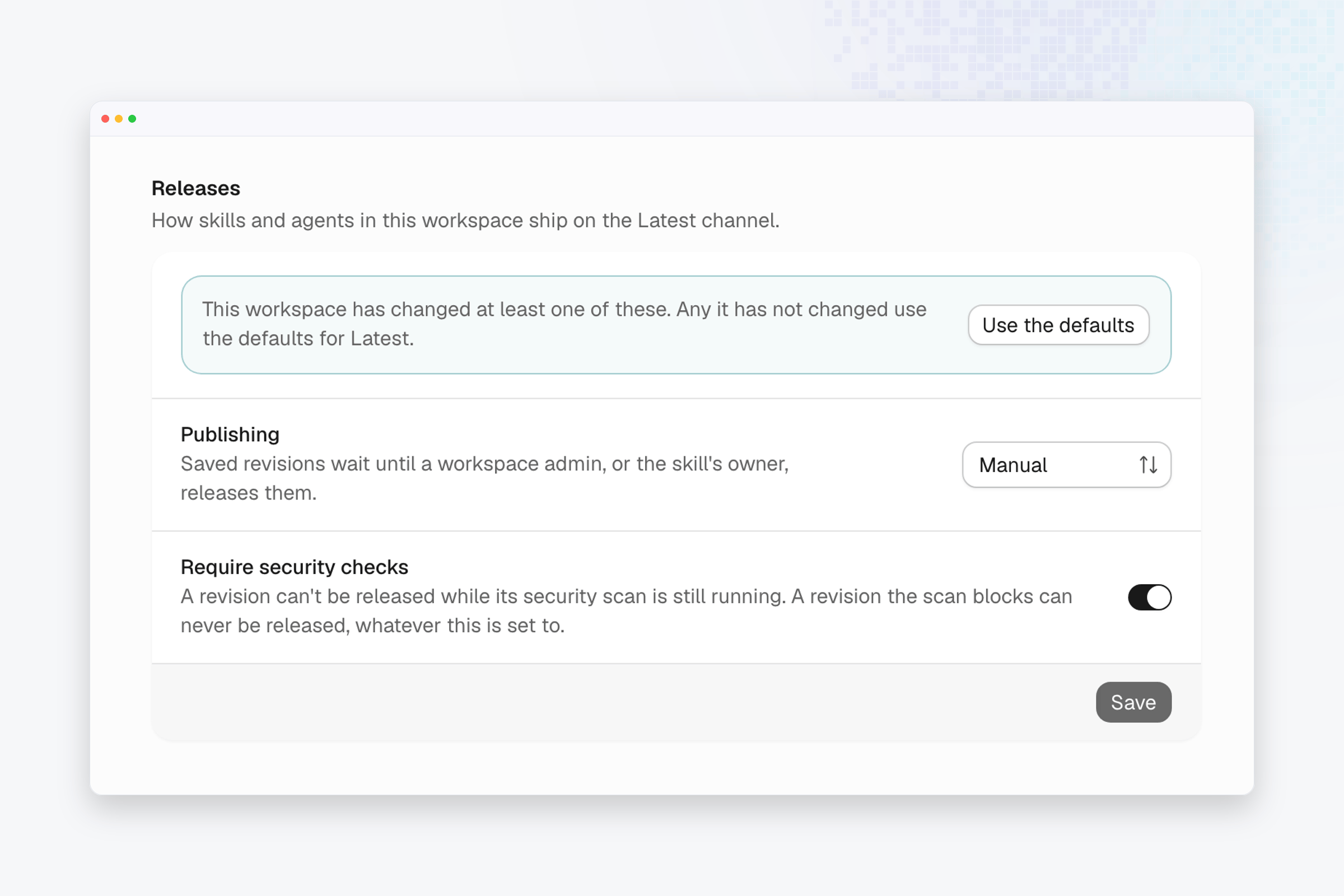 1. Open **Settings** from the account menu, then choose the workspace under
**Workspaces**. That list appears for organization admins, and you must be
a member of the workspace to see its settings.
2. Scroll to the **Releases** section.
3. Set **Publishing** to **Automatic** to ship each saved revision once its
security checks pass, or to **Manual** to hold saved revisions until a
workspace admin, or the skill's owner, releases them.
4. Leave **Require security checks** on, so a revision can't be released while
its security scan is still running. A revision the scan blocks can't be
released, whatever this is set to.
5. Choose **Save**. The app confirms "Release policy saved".
## Go back to the defaults
1. Choose **Use the defaults** to drop this workspace's changes. The app
confirms "This workspace now uses the defaults".
The section also says whether this workspace uses the defaults for Latest or has
changed at least one setting.
## Verify the result
Save a change to a skill in the workspace, then open the skill's **Source**
tab. With **Manual** publishing, the new version waits in the **Versions** box
with a **Release** button once its checks pass. With **Automatic** publishing,
it becomes **Live** once its checks pass.
This documentation is built and hosted on [Mintlify](https://mintlify.com), a developer documentation platform.
1. Open **Settings** from the account menu, then choose the workspace under
**Workspaces**. That list appears for organization admins, and you must be
a member of the workspace to see its settings.
2. Scroll to the **Releases** section.
3. Set **Publishing** to **Automatic** to ship each saved revision once its
security checks pass, or to **Manual** to hold saved revisions until a
workspace admin, or the skill's owner, releases them.
4. Leave **Require security checks** on, so a revision can't be released while
its security scan is still running. A revision the scan blocks can't be
released, whatever this is set to.
5. Choose **Save**. The app confirms "Release policy saved".
## Go back to the defaults
1. Choose **Use the defaults** to drop this workspace's changes. The app
confirms "This workspace now uses the defaults".
The section also says whether this workspace uses the defaults for Latest or has
changed at least one setting.
## Verify the result
Save a change to a skill in the workspace, then open the skill's **Source**
tab. With **Manual** publishing, the new version waits in the **Versions** box
with a **Release** button once its checks pass. With **Automatic** publishing,
it becomes **Live** once its checks pass.
This documentation is built and hosted on [Mintlify](https://mintlify.com), a developer documentation platform.