> ## Documentation Index
> Fetch the complete documentation index at: https://platform.atlan.com/llms.txt
> Use this file to discover all available pages before exploring further.
# Organization roles
> Compare Org admin and Org member access and change a member's role.
Organization roles govern access across the organization. They are separate
from workspace roles.
| Capability | Org member | Org admin |
| ---------------------------------------------------------- | ---------- | --------- |
| View the member directory | Yes | Yes |
| Invite people | Yes | Yes |
| Read organization settings | Yes | Yes |
| Create workspaces | Yes | Yes |
| Create and manage their own OAuth clients | Yes | Yes |
| Change organization roles | No | Yes |
| Archive members | No | Yes |
| Manage organization settings, billing, and security | No | Yes |
| Manage API keys, shared credentials, and all OAuth clients | No | Yes |
| Delete the organization | No | Yes |
Use **Org member** as the default. It allows people to invite teammates and
create workspaces without granting control over organization-wide access,
billing, or security.
## Change a member's role
1. Open **Settings**.
2. Select **Members** under **Organization**.
3. Find the person.
4. Select the role control on their row.
5. Choose the new role.
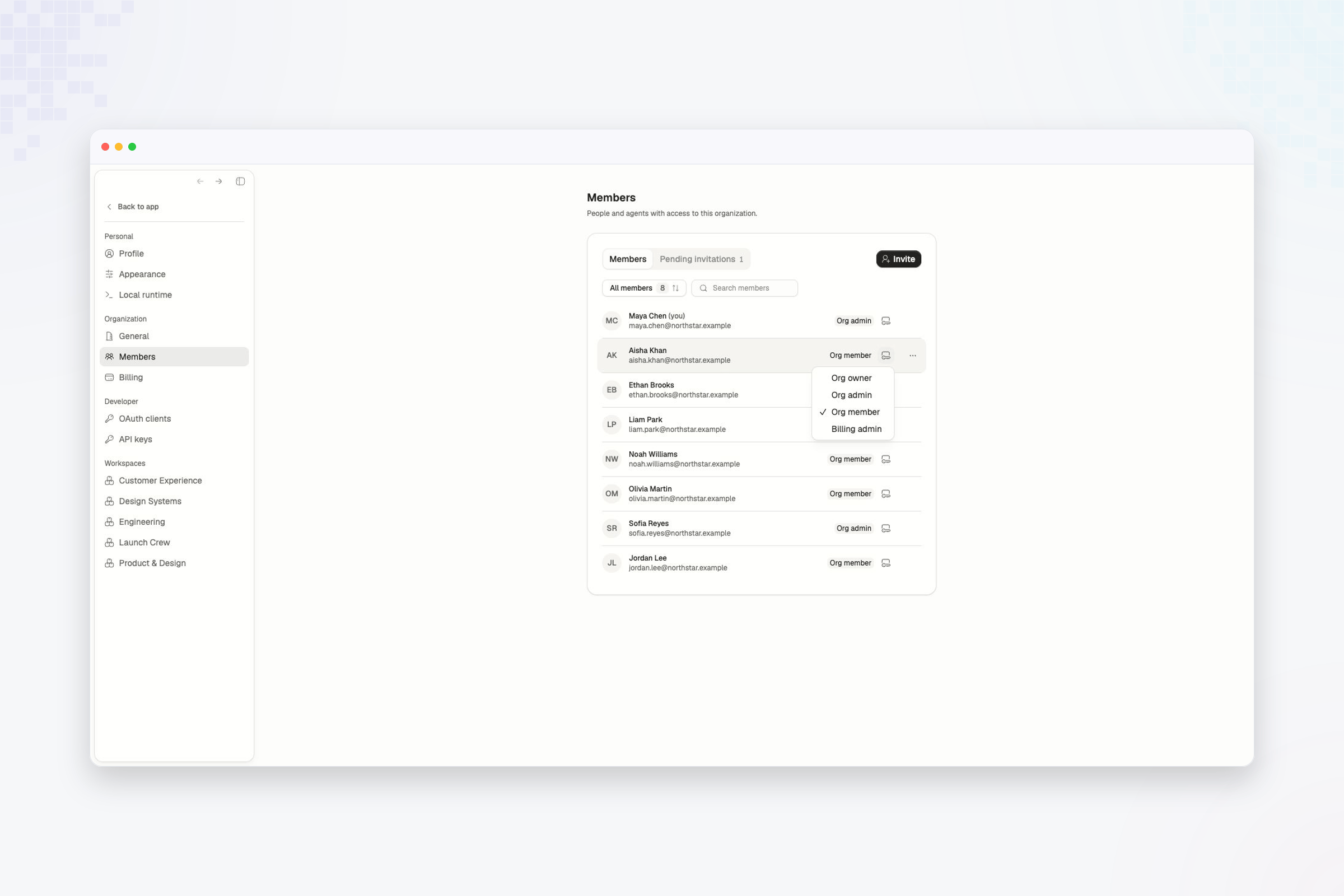 Role changes apply at the organization level. Review the person's workspace
roles separately if their responsibilities are changing.
Keep at least one active organization admin. Promote another member before
changing or removing the last admin.
Compare Owner, Admin, Member, and Viewer access inside a workspace.
Role changes apply at the organization level. Review the person's workspace
roles separately if their responsibilities are changing.
Keep at least one active organization admin. Promote another member before
changing or removing the last admin.
Compare Owner, Admin, Member, and Viewer access inside a workspace.